
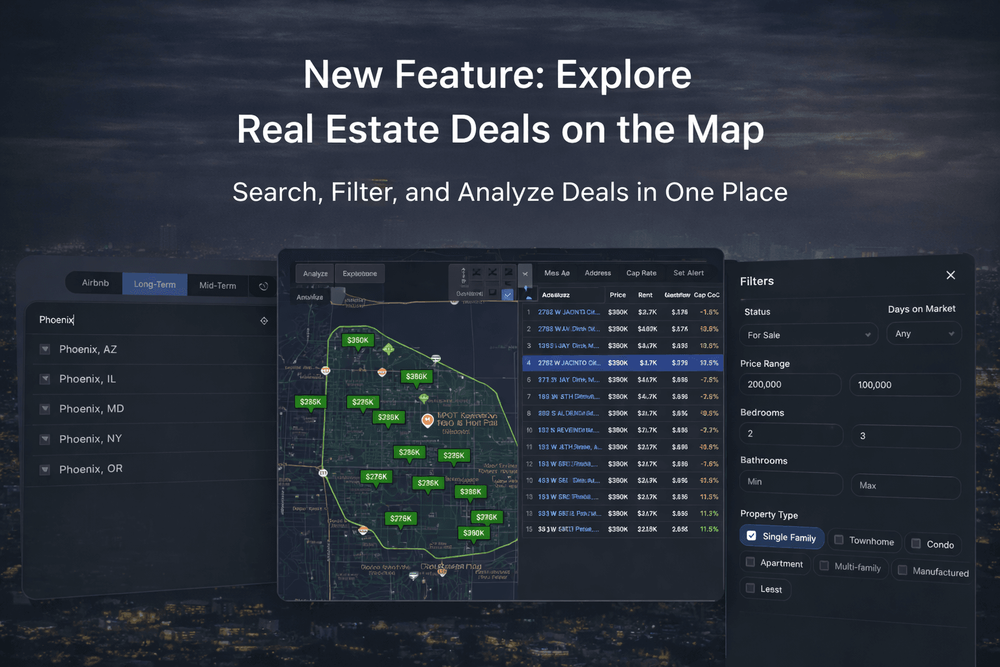
Until now, there were two ways to analyze deals in REI Lense: paste a known address, or discover listings on Zillow/Redfin first — then bring them into REI Lense for analysis.
Today we’re shipping the next step: Explore — a full property search experience directly inside REI Lense.
That means you can type a city, zip, or neighborhood, and instantly explore the market with the same tools you already use — without leaving our website.
The Problem: Finding Deals Was Still Split Across Tools
Even if analysis was fast, discovery still lived elsewhere: browse listings → open a property → copy/paste → analyze → repeat.
It works… but it doesn’t scale when you’re monitoring multiple markets, multiple strategies, or collaborating with others.
The Solution: Explore Markets Directly in REI Lense
With Explore, REI Lense becomes the place you both discover and analyze.
Enter a location (city / zip / neighborhood) and you’ll get:
- A live map with properties
- A full filter panel (price, beds, baths, property type, and more)
- A sortable results table with key metrics
- Strategy tabs (Airbnb / Long-Term / Mid-Term)
- Ability to run analysis in bulk straight from there!
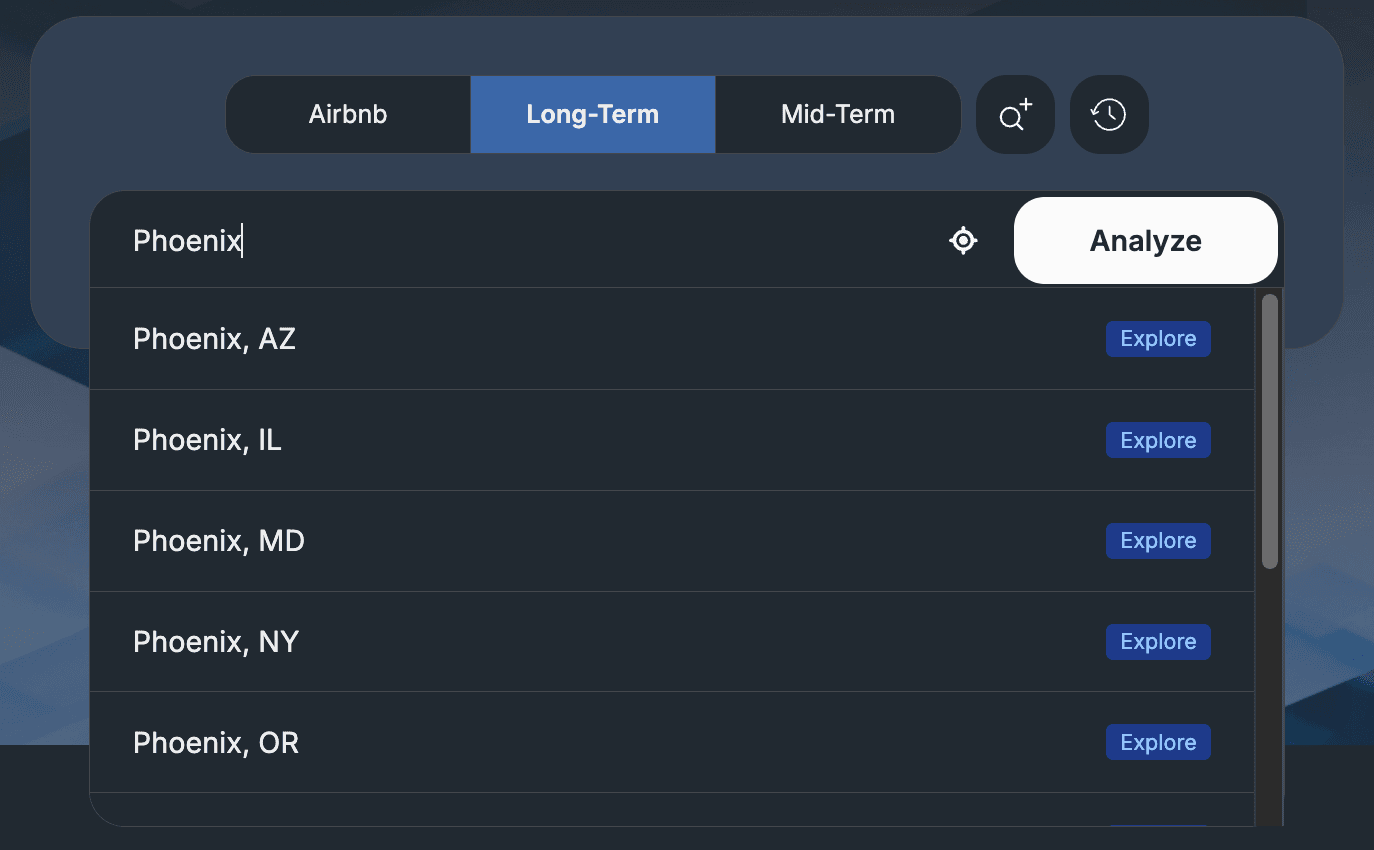
Start With Any Market — Then Explore It
Explore works even when you don’t have a specific address. Just type a market and jump straight into discovery.
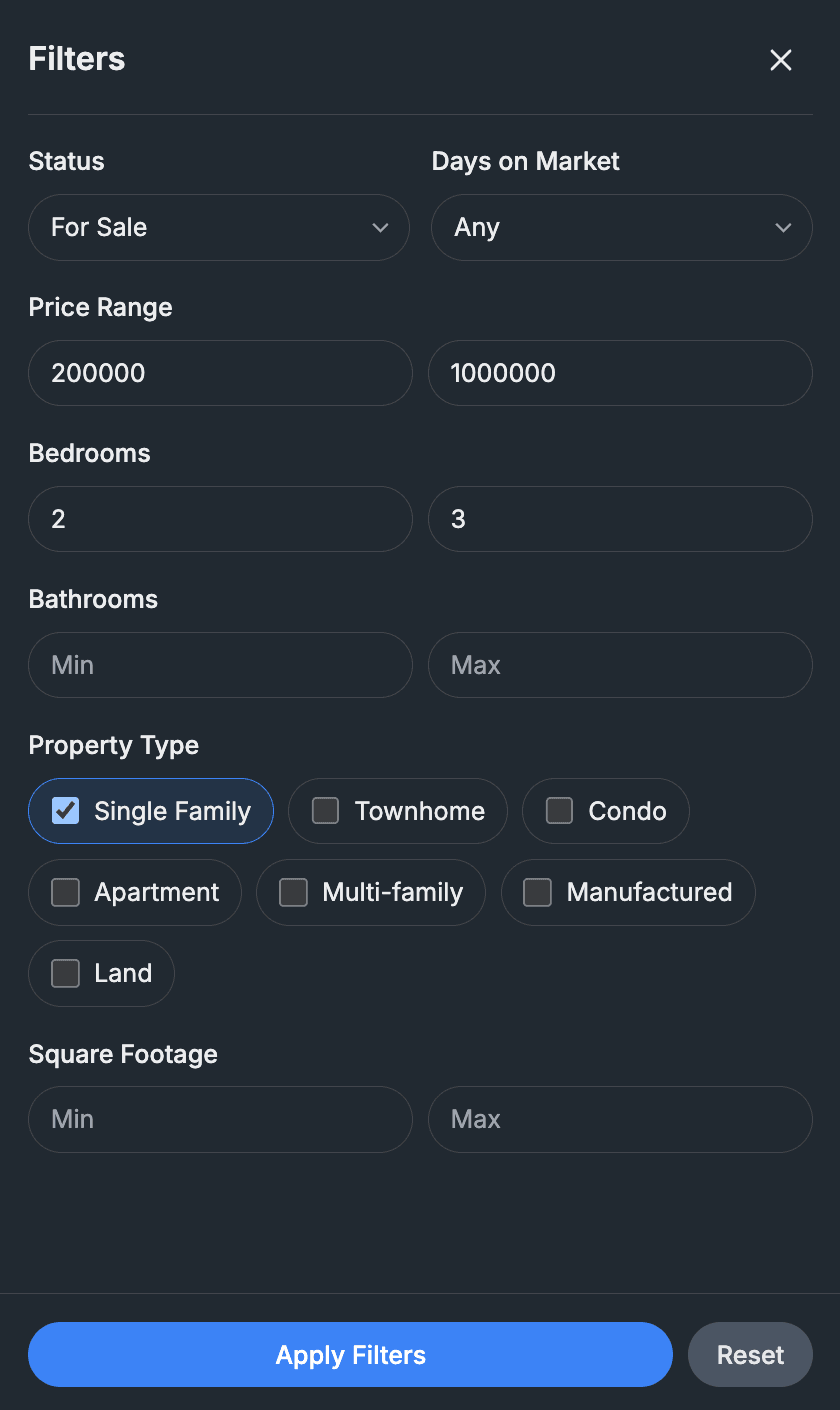
Use Filters Like You Would on Zillow/Redfin — But Stay in REI Lense
Explore includes a detailed filter panel so you can narrow down your market exactly how you want: status, days on market, price range, bedrooms, bathrooms, property type, square footage, and more.
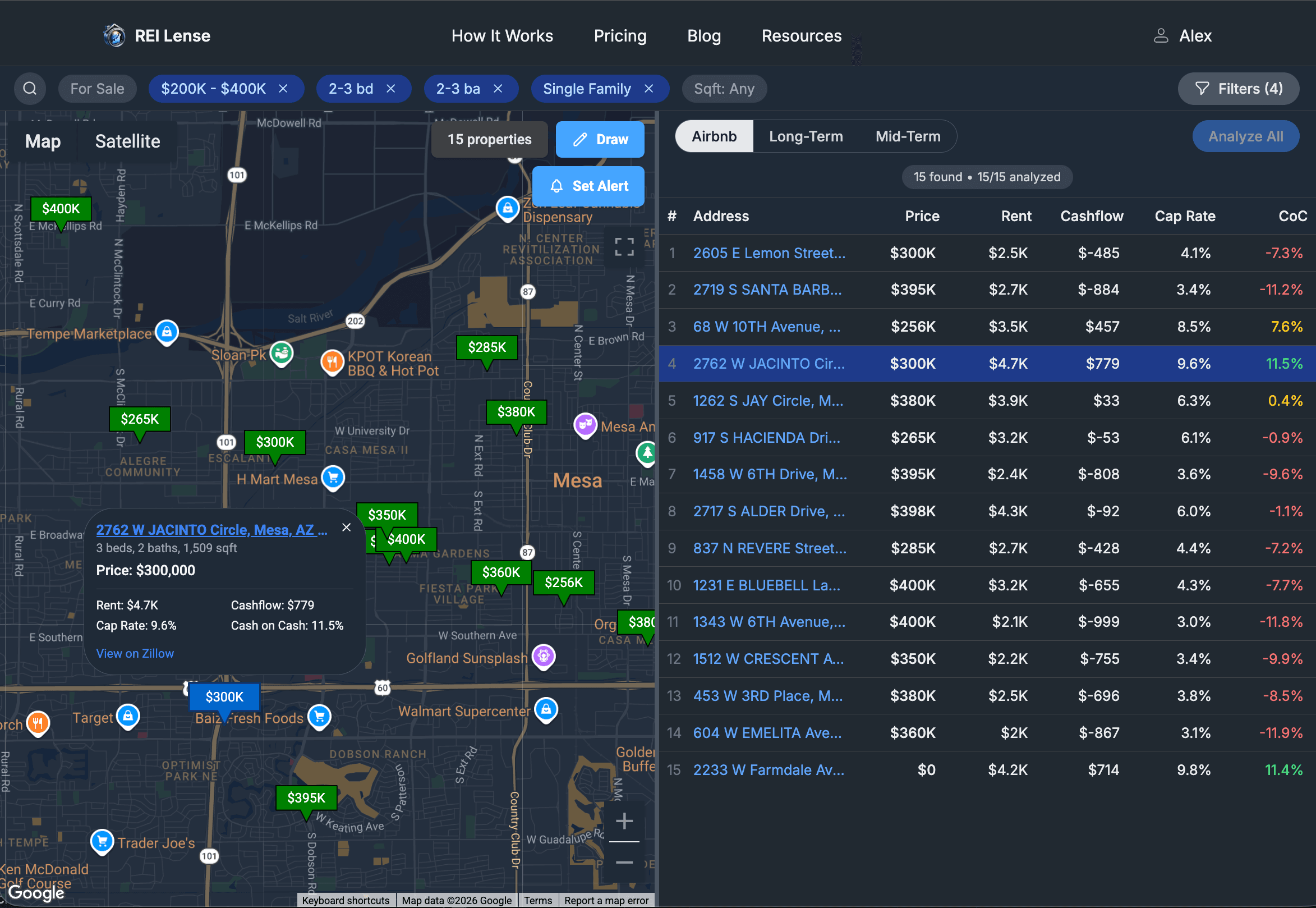
See Results on the Map and in a Table
Explore isn’t just a map — it’s a workflow. You can browse visually on the map and also scan your results in a structured table to compare opportunities faster.
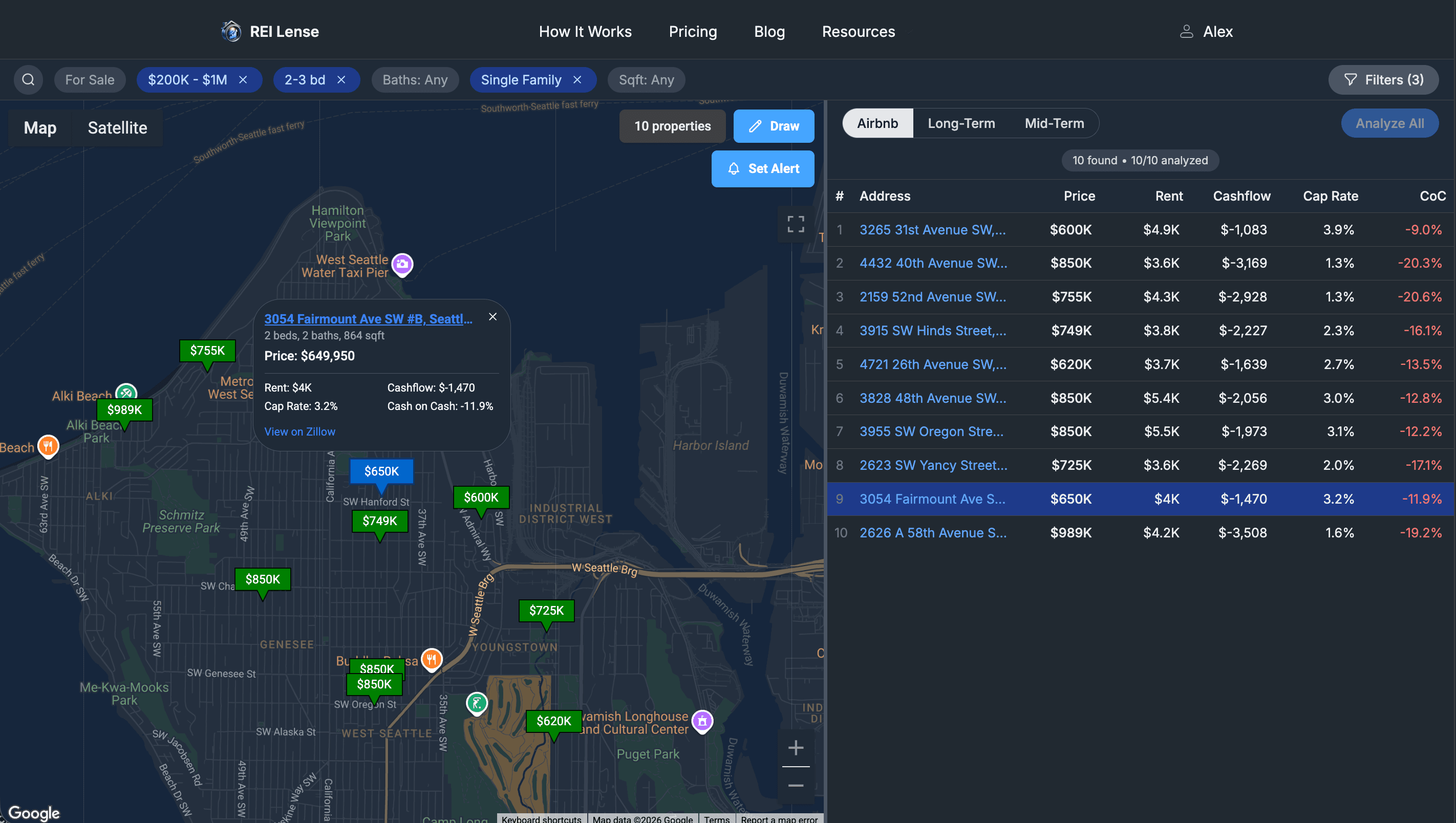
Draw a Search Area on the Map
Want to focus on a specific pocket of a city? Draw a custom polygon on the map to define your search area precisely — and Explore will filter results to match.
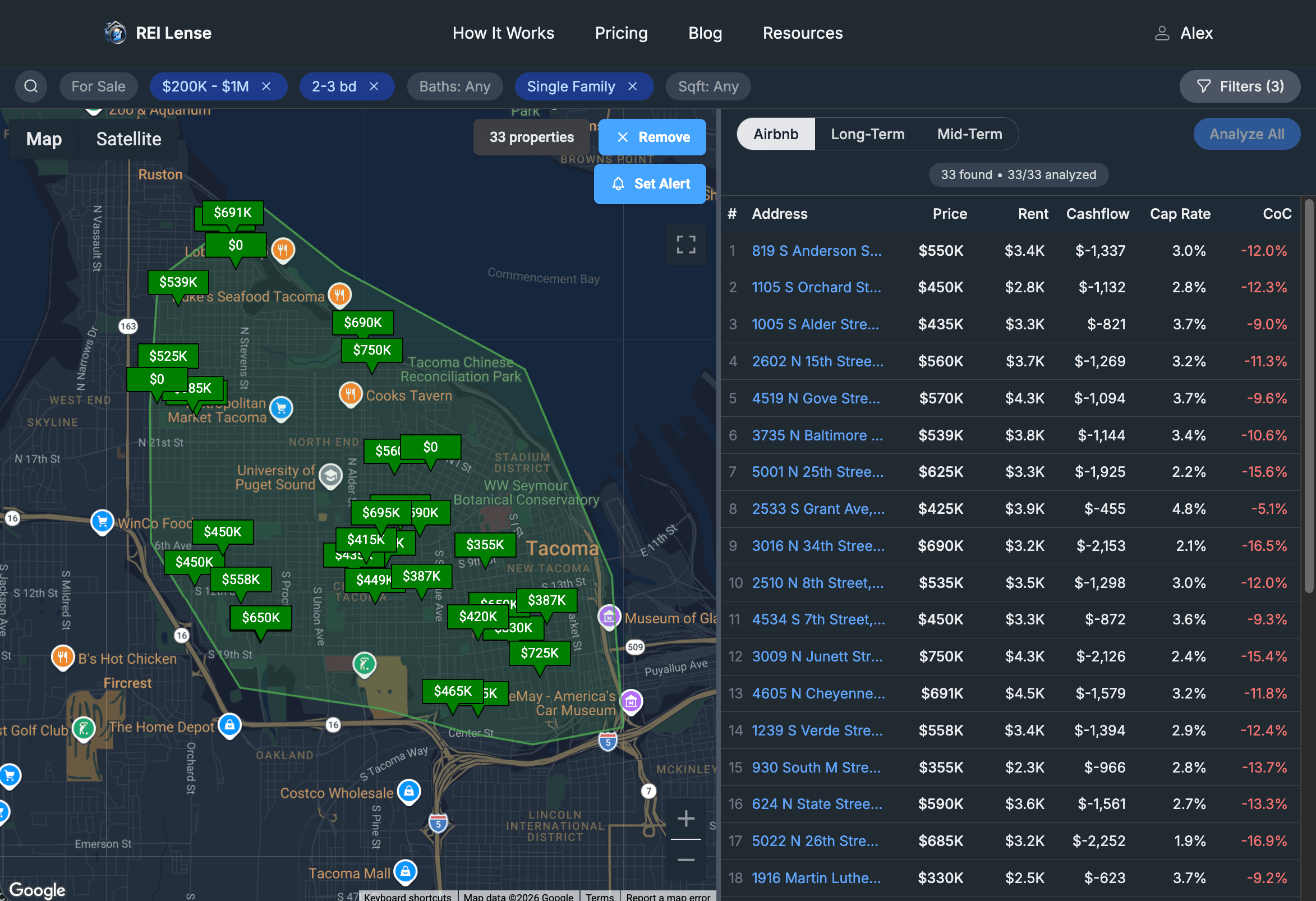
Share Your Explore View With a Direct Link
Exploring with teammates, partners, or clients? You can share your exact Explore setup — including filters and your drawn area — via a direct link.
Here’s an example of a shareable Explore link:
https://rei-lense.com/explore?minPrice=200000&maxPrice=400000&minBedrooms=2&maxBedrooms=3&minBathrooms=2&maxBathrooms=3&homeType=Houses&polygon=gqqjEjidjTw%60U%3F%3FmyTv%60U%3F%3FlyT
Turn Any Explore Setup Into a Deal Alert
Explore becomes even more powerful when paired with Deal Alerts. Once you’ve dialed in your area and filters, you can set an alert to automatically scan new properties and notify you when something matches your target Cash on Cash return.
If you missed the Deal Alerts announcement, it’s here: Daily Deal Analysis. Fully Automated.
Start Exploring Without Leaving REI Lense
The goal is simple: make deal discovery as streamlined as deal analysis. Explore brings market search, filtering, collaboration, and automation into one workflow.
Tip: Run Explore → draw your area → apply filters → share the link → or set a Deal Alert.